 The best equipment for pros and enthusiasts alike
 Professions









Place an Order
To order items on vetsecurite.com, simply follow these steps.
Step 1: Customer Account Creation
If this is your first time using it, create your account on vetsecurite.com.
You can find your account by clicking on the icon at the top right of the site.

Step 2: Product Search
Then, browse our online store to discover our catalog. This can be done through the "our professions" section and then clicking on the profession that corresponds to you. You can also search for your products by clicking on one or more of the 6 universes (for example, "Military / Law Enforcement").
To make your life easier, you can search by profession, universe or even brand. An intelligent search bar is also at your disposal.

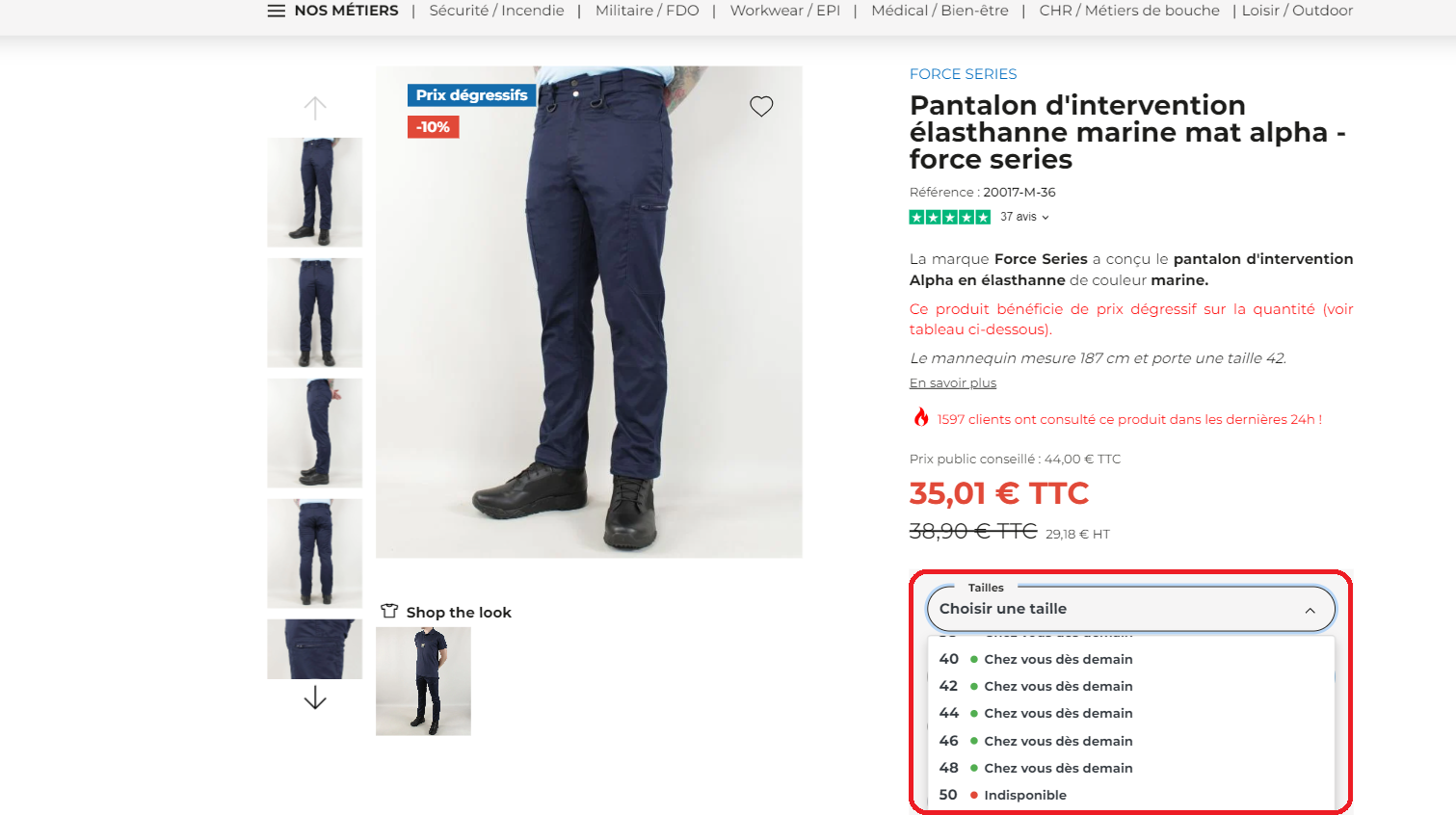
Step 3: Size Selection
You have found the item(s) that suit you, select your size.
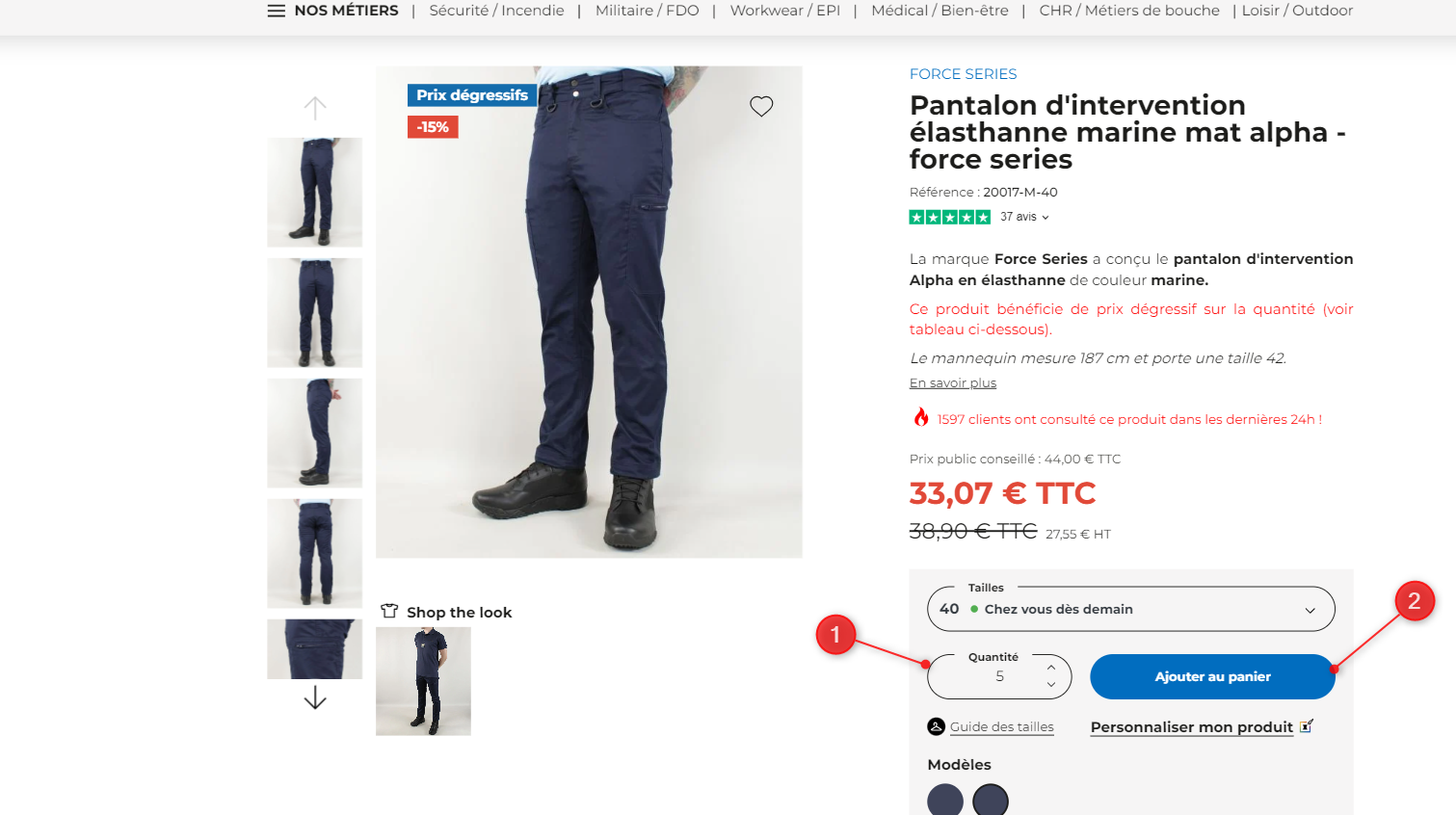
Step 4: Quantity Selection
Enter the desired quantity and add the product to the cart.
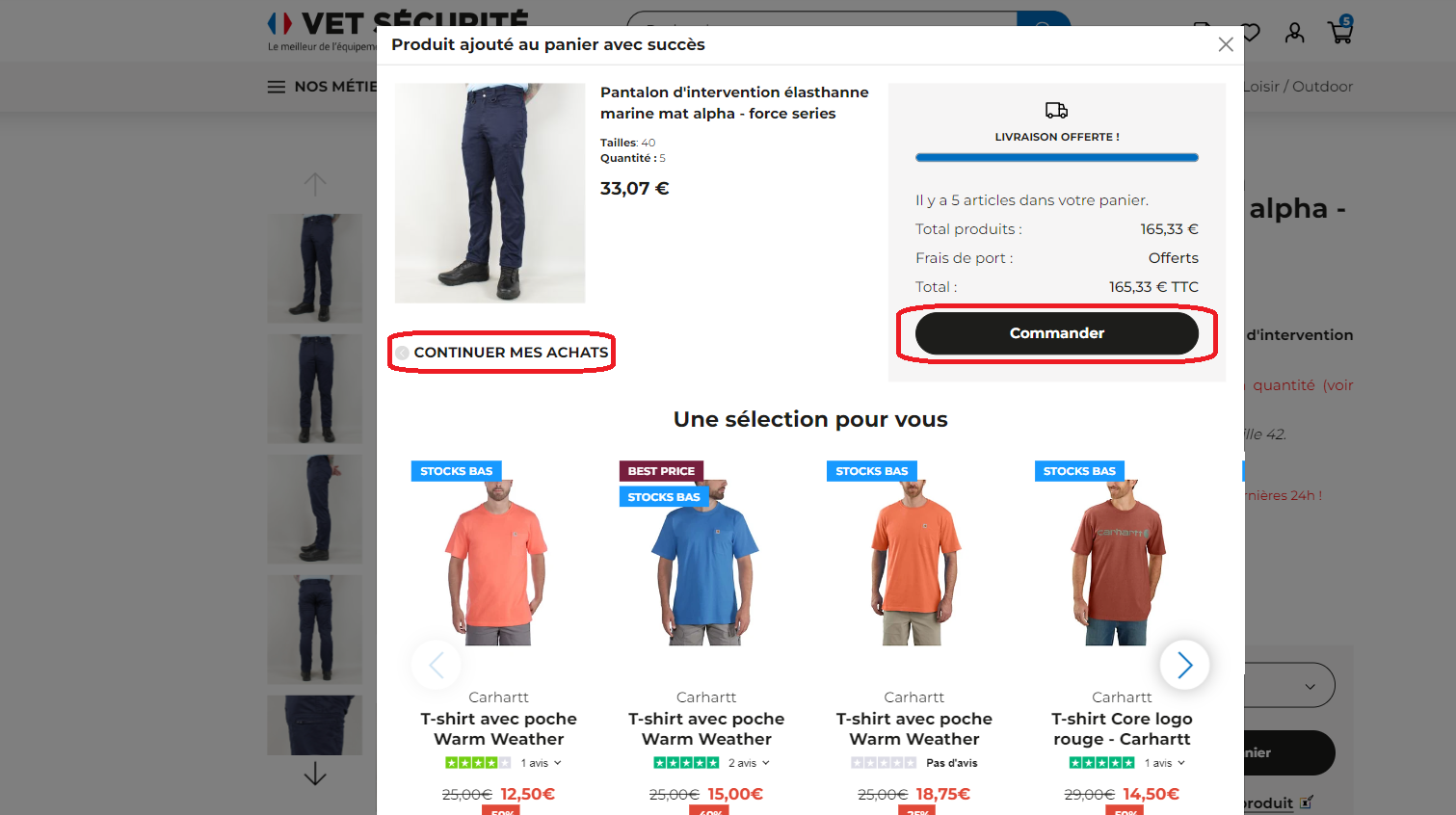
Step 5: Quick Cart Overview
A pop-up opens to allow you to go to your cart or continue shopping.
Step 6: Cart Access
You have permanent access to your cart via the icon at the top right.

Step 7: Adding Promo Code and Order
Do you have a promo code? Simply enter it in the space provided before clicking "Ok".
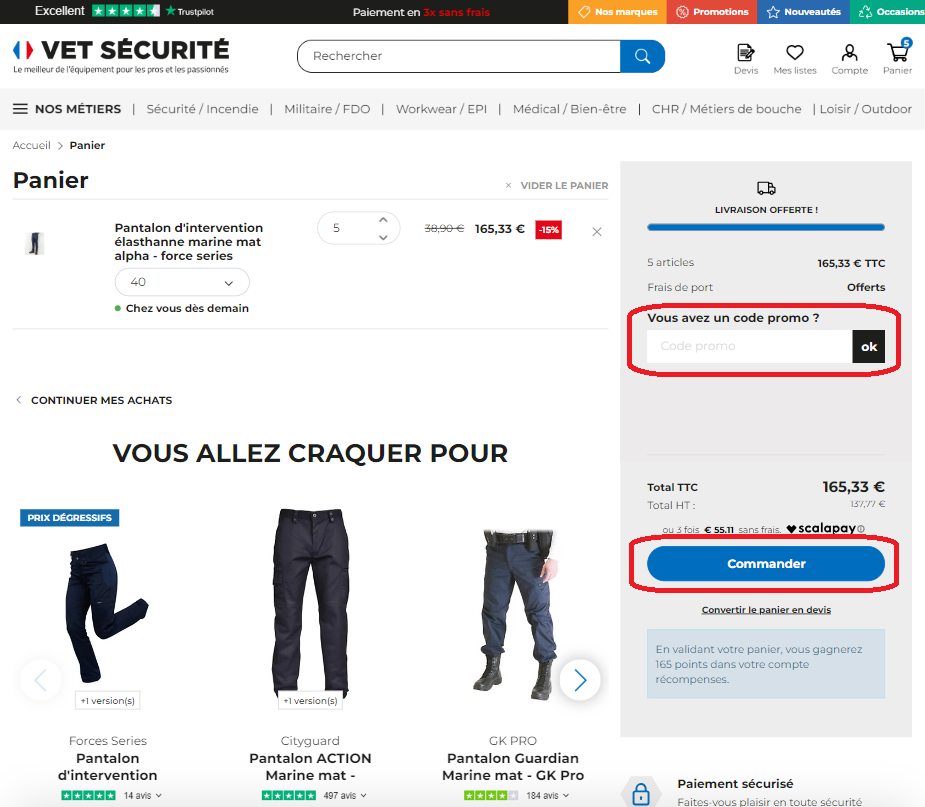
To finalize your order, simply click on the "Order" button.
Step 8: Delivery Choice and Payment
Select your delivery and billing addresses, the desired delivery method and payment method to complete your purchase.
Within minutes, you will receive an order confirmation email containing the tracking number.
That's it, happy shopping! ?
A question?
Contact customer service by email at [email protected]


